The Vault Key Card protects transaction authorization, not assets themselves.
It adds a physical approval requirement to non custodial wallets accessed through Zypto App, while balances, interaction, and on chain activity continue as normal. Understanding this separation is essential to understanding what the Vault Key Card is designed to do.
What the Vault Key Card Protects
The Vault Key Card protects authorization for sensitive actions.
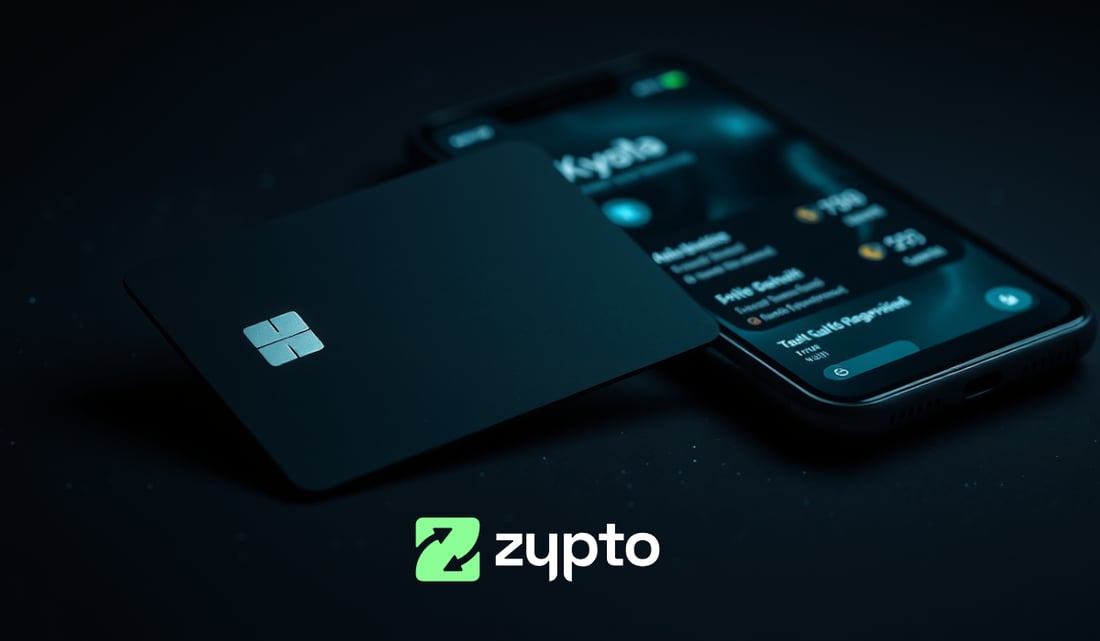
When a wallet is attached, transactions cannot be approved by software alone. Transfers, swaps, and other on chain actions must be confirmed by tapping the physical Vault Key Card on the device using NFC. Without the card present, approval cannot occur.
This means transaction signing is physically gated, even though Zypto App remains connected and fully usable.
Protection Applies at the Approval Layer
Zypto App remains the environment where users view balances, prepare transactions, and interact with blockchains.
The Vault Key Card does not replace the app or interrupt how it is used. Instead, it controls the moment where a prepared transaction becomes authorized.
Interaction happens in the app.
Authorization requires physical presence.
Split Key Authorization, Not Single Point Control
The Vault Key Card uses a split key authorization model.
Full signing authority is never available entirely within Zypto App, and the card by itself cannot approve transactions. Both environments are required together.
This design prevents remote or silent approval by requiring both the app and physical card to be present together.
What the Vault Key Card Does Not Protect
The Vault Key Card does not hold assets and does not change where funds exist.
Assets remain on chain and under non custodial control, with Zypto App providing the interface to view and manage them. The card does not store balances, manage funds, or act as a vault.
Wallet balances and transaction details remain visible inside Zypto App at all times.
Losing the Card Does Not Mean Losing Funds
If a Vault Key Card is lost, assets are not removed, wallets are not reset, and balances remain viewable as normal in Zypto App.
The card only affects transaction authorization. Without the card present, protected wallets cannot approve new transactions, but nothing happens automatically and no funds are moved.
How Transaction Access Is Restored
If a user needs to transact after losing a Vault Key Card, the original authorization link cannot be removed without the physical card.
To restore signing capability, the wallet must be removed and reimported inside Zypto App using its seed phrase. Once reimported, the wallet returns to app only signing.
Cold authorization protection is removed during this process, but wallet balances, history, and asset location remain unchanged.
A new Vault Key Card can later be attached if the user chooses to restore physical authorization.
Optional Protection by Design
The Vault Key Card is optional and flexible.
Users can attach up to three wallets. Detaching a wallet requires the physical Vault Key Card to be present and confirmed with a card tap.
If the card is unavailable, the wallet can be restored through seed phrase reimport instead.
This allows cold authorization protection to be applied where it makes sense, without forcing a single security mode across all activity.
Protection Without Changing How the App Is Used
The Vault Key Card is designed to protect everyday wallets without changing how Zypto App works.
There is no separate device workflow, no alternate interface, and no interruption to normal use. The only difference is that transaction approval now requires physical presence.
Authorization is controlled.
Interaction remains unchanged.
Explore the Vault Key Card in Practice
→ What Is the Vault Key Card?
→ How the Vault Key Card Works With Zypto App
→ What the Vault Key Card Protects (and What It Doesn’t)
→ What Happens If You Lose the Vault Key Card?
→ Do You Need the Vault Key Card for Every Transaction?
→ When to Use the Vault Key Card vs App-Only Signing
→ Who Is the Vault Key Card For?
→ Vault Key Card vs Device-Based Hardware Wallets (When VKC Makes More Sense)
→ Is the Vault Key Card Worth Using If You’re New to Crypto?
FAQs
What does the Vault Key Card actually protect?
The Vault Key Card protects transaction authorization. It adds a physical approval requirement before sensitive actions can be finalized, without changing balances, wallets, or how Zypto App is used.
Does the Vault Key Card protect my assets or funds?
No. Assets remain on chain and non custodial in Zypto App. The Vault Key Card does not hold funds or manage balances. It only controls how transactions are approved.
Can transactions be approved without the Vault Key Card?
When a wallet is attached to the Vault Key Card, transactions cannot be approved without physically tapping the card on the device using NFC. When a wallet is not attached, transactions can be approved directly in the app.
What happens if I lose my Vault Key Card?
Losing the card does not remove funds or reset wallets. Wallets remain visible and unchanged in Zypto App. However, wallets that were linked to the card cannot approve transactions and cannot be unlinked without the original card present.
How do I transact if my Vault Key Card is lost?
If the Vault Key Card is lost, linked wallets cannot be detached. To regain full transaction control, the wallet must be removed and reimported into Zypto App using its seed phrase. Once reimported, it returns to app-only signing.
Can cold authorization protection be restored later?
Yes. A replacement Vault Key Card can be attached to restore physical authorization without resetting the wallet or affecting assets.