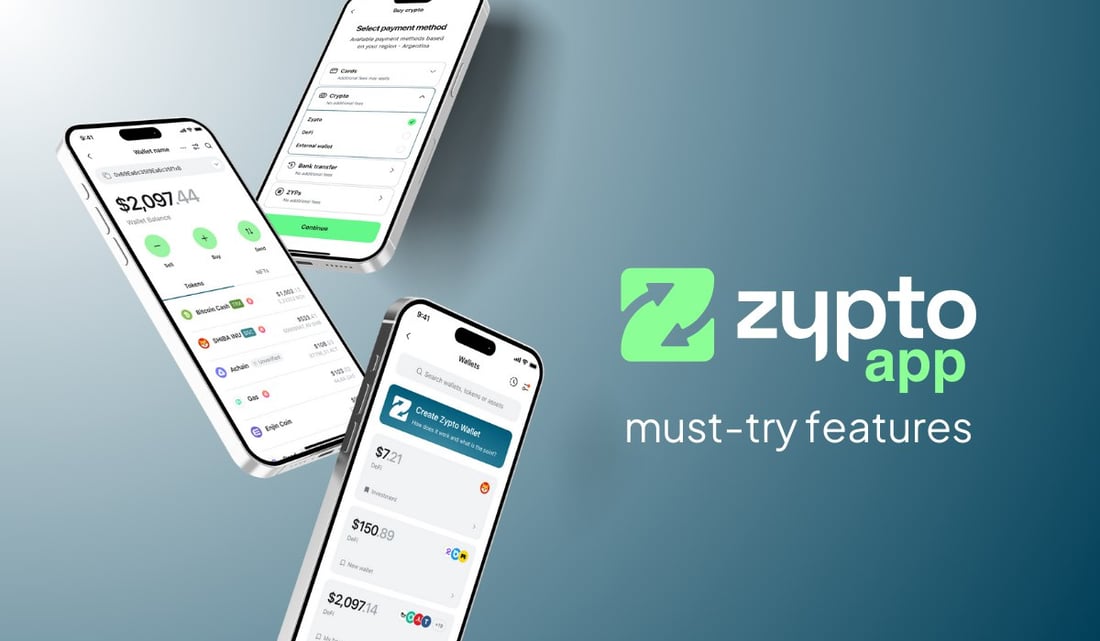
Most people use Zypto App for the core features everyone talks about, but it’s often the must try features that make the experience feel personal from day one.
These are the tools that shape how you use the app, how you view your balances, how you protect your wallets and how you organize your setup. They’re small but incredibly powerful features that make Zypto App more flexible, more private and completely tailored to you.
The Big Features You Already Know
Once you’ve explored these, you’ll find all the major capabilities waiting for you too. You can create multichain multiple multichain wallets, load and use crypto cards, top up mobile phones across hundreds of operators globally, and pay bills with crypto in over 120 countries.
You can cash in or cash out USDC at participating MoneyGram locations, pay merchants with USDC using Pix in Brazil and Nequi in Colombia, claim ZYPs, run crosschain swaps, explore DApps, cold store your assets with the Vault Key Card and manage everything from one place.
Pure DeFi Control
Zypto App is built as a pure DeFi wallet. You hold your keys, you sign your transactions and you stay in full control of your assets across every chain you use. Nothing is custodial and nothing moves without your approval, giving you a direct, independent and transparent way to manage everything from your phone.
And alongside these major capabilities, Zypto App includes a collection of additional features that give you even more control over how your wallet works. Let’s dive in.
PIN And Optional Biometric Security
Every user sets a PIN when creating their Zypto App account. You can then add optional biometric security for fingerprint or face recognition. And for your privacy, no email or ID is required.
Dark Mode, Light Mode And System Mode
Zypto App includes three visual modes. You can set the app to Light Mode or Dark Mode, or choose System Mode which follows the appearance settings of your device.
Disguise Mode
Disguise Mode gives you privacy by hiding your Zypto App behind a neutral looking icon such as a calculator or file icon. Only you know that the app is there, giving you true stealth mode.
Create Multiple Wallets
You can create as many multichain wallets as you like in Zypto App. Create a wallet for spending, another for savings, another for particular chains, another for trading and one or more linked to your Vault Key Card. It is entirely up to you how everything is organized.
Name Each Wallet
Every wallet you create in Zypto App can be named exactly how you want. You’re never stuck with generic labels like Wallet 1 or Wallet 2 or random strings. Give each wallet a purpose driven name and keep your setup organized in a way that makes sense to you.
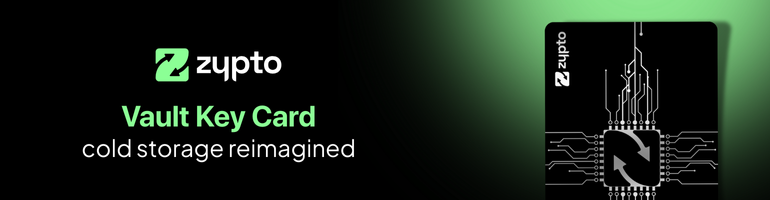
Turn Your Wallets Cold With The Vault Key Card
The Vault Key Card brings mobile-first cold storage to your Zypto App wallets. One VKC protects up to 3 wallets using split key architecture which means the full private key is never stored on the card or the phone. To authorise a transaction, just tap your Vault Key Card to your phone and the card approves the signature via NFC without ever exposing the full key. No USBs, no cables, no charging, and no firmware updates required.
Over 25 Languages
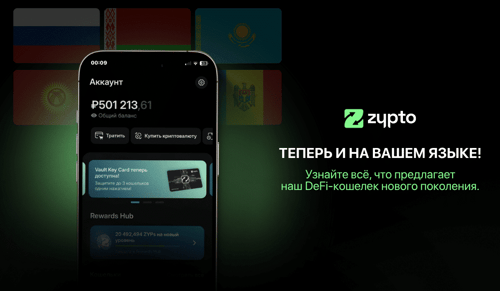
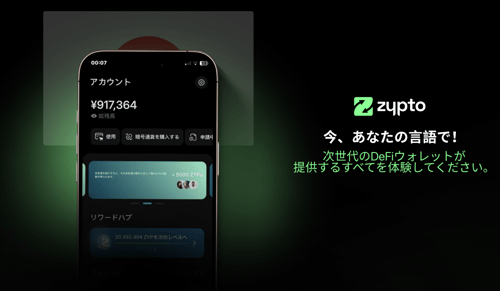
Zypto App supports more than 25 languages including Arabic, Bengali, Chinese Traditional, Chinese Simplified, Croatian, Filipino, French, German, Hindi, Indonesian, Japanese, Korean, Malay, Nepali, Portuguese, Russian, Serbian, Slovenian, Spanish, Thai, Turkish, Ukrainian, Urdu Pakistan and Vietnamese. You can switch languages instantly and the entire app updates in real time.
Over 100 Local Currency Displays
Choose from more than 100 local currency display options. Switch between currencies instantly and your balances will update immediately.
Built In Browser And WalletConnect
The in app browser lets you explore Web3 without leaving Zypto App. Access DApps, DeFi platforms and NFT marketplaces and stay fully protected inside your wallet environment.
Wallet Connect support makes everything simple. Choose WalletConnect and search for Zypto inside any supported DApp, choose the wallet you want to connect and continue your activity securely. You can also review and disconnect active connections in the WalletConnect section under Settings. It gives you full visibility and control over your linked sessions.
Pay With ZYP Reward Points
ZYPs are rewards points earned inside Zypto App. Use them across the ecosystem to load crypto cards, buy gift cards, top up mobile phones, pay bills, or even buy a Vault Key Card.
Add Trustlines
Inside Zypto App you can add Trustlines for Algorand, Stellar and XRPL. It takes only a moment and lets you manage tokens on these networks without leaving the app.
Show Only Verified Tokens
Each Zypto App wallet includes a simple security filter that lets you choose which tokens appear. You can view only Verified Tokens, only Unverified Tokens or both. This keeps your wallet clean and protects you from clutter caused by random airdrops or tokens that may be unsafe or unverified.
Include In Total Balance
Inside each wallet you can choose whether to include that wallet’s funds in the Total Balance shown on your main screen. It gives you complete control over what is reflected in your overall portfolio.
Pending Transactions
When you make a transaction or a swap, you can follow its progress in the Pending area. Once the transaction is confirmed on chain it disappears from Pending and appears in your Transaction History. It keeps everything clear and easy to track.
Transaction History
Every individual wallet includes a full transaction history. There is also an app-wide history that shows all activity in one place. This makes it easy to review your past activity no matter how many networks you use.
The Features You Use Every Day Start Here
Zypto App already gives you the big capabilities that make crypto useful in the real world. What many users discover with time is how much control and clarity comes from the additional features available across the app and inside each wallet.
The privacy tools. The protection options. The ability to switch languages and currencies instantly. The visibility across your wallets, your activity and your on chain interactions.
Everything is already there in your app. Explore these features, shape your setup and make Zypto App feel fully your own.
If you haven’t downloaded Zypto App yet, now is the perfect moment to see what the experience feels like first hand.
Free Your Money
FAQs
What security options does Zypto App offer?
Zypto App uses a PIN for account access, and you can add optional biometric security such as fingerprint or face recognition. This gives you an additional approval layer for sensitive actions.
What is Disguise Mode in Zypto App?
Disguise Mode replaces the Zypto App icon with a neutral icon such as a calculator or file icon. It helps you keep your wallet private when using your phone around other people.
Can I create multiple wallets in Zypto App?
Yes. You can create multichain multiple multichain wallets and organize them however you like, including wallets for spending, savings, specific chains or for use with your Vault Key Card.
Can I name my wallets in Zypto App?
Yes. Every wallet can be named individually. You are not limited to generic names like Wallet 1 or Wallet 2.
How does the Vault Key Card protect my wallets?
The Vault Key Card can protect up to 3 Zypto App wallets using split key architecture. The card never stores the full private key. To authorise a transaction, you tap the card to your phone and the card confirms the signature.
What languages does Zypto App support?
Zypto App supports more than 25 languages including Arabic, Bengali, Chinese Traditional, Chinese Simplified, Croatian, Filipino, French, German, Hindi, Indonesian, Japanese, Korean, Malay, Nepali, Portuguese, Russian, Serbian, Slovenian, Spanish, Thai, Turkish, Ukrainian, Urdu Pakistan and Vietnamese.
Can I change the currency display in Zypto App?
Yes. You can choose from more than 100 local currency display options and switch between them instantly.
What can I do with the built in browser in Zypto App?
The built in browser lets you access DApps, DeFi platforms and NFT marketplaces without leaving Zypto App. It keeps your activity within the app’s environment.
How does Wallet Connect work in Zypto App?
You can connect to supported DApps by selecting Wallet Connect and choosing Zypto. You can also review and disconnect active connections in the Wallet Connect section under Settings.
What can ZYPs be used for
ZYPs are reward points earned in Zypto App. You can use them to load crypto cards, top up mobile phones, pay bills or buy a Vault Key Card.
Can I add trustlines in Zypto App?
Yes. You can add trustlines for Algorand, Stellar and XRPL directly inside the app.
How does the verified token filter work?
Zypto App lets you choose to view only verified tokens, only unverified tokens or both. This helps reduce clutter from random airdrops or tokens you do not want displayed.
Can I choose which wallets contribute to my total balance?
Yes. Each wallet includes an option that lets you show or hide its balance from the Total Balance on your main screen.
How do pending transactions work in Zypto App?
Transactions and swaps appear in the Pending area until they are confirmed on chain. Once confirmed, they move automatically to your Transaction History.
Does Zypto App provide transaction history?
Yes. Each wallet includes its own transaction history, and there is also an app wide history that shows all activity in one place.