Shibarium is more than just hype. With smart contracts, dApps, and a growing list of tokens like SHIB, BONE, LEASH and TREAT, it’s one of the most active L2 ecosystems in crypto. But to use it properly, you need the right wallet.
Zypto App gives you a fast, secure way to set up your Shib wallet, connect to dApps, and start using your tokens across a full crypto ecosystem.
Shib x Zypto
Zypto is a proud supporter of the Shiba Inu project, and was the first DeFi wallet to natively integrate both ShibaSwap and Shibarium.
We’ve enjoyed a great relationship with the Shiba Inu team and community for years now, and we’ll continue to nurture that long-term connection by actively contributing to the ecosystem’s adoption.
Whether you’re a seasoned degen or just Shib-curious, here’s how to get started with Shibarium and ShibaSwap in Zypto App.
How to Set Up a SHIB / BONE / Shibarium Wallet in Zypto App
Getting started with a Shibarium wallet in Zypto App takes just a few minutes. Follow these steps:
- Download Zypto App
Download the app from the App Store or Google Play. It’s free and supports 25+ languages. - Create or import your wallet
Open Zypto App and choose to create a new wallet, or import an existing one using a recovery / seed phrase. - Secure your wallet
Write down your recovery phrase and keep it offline. Set up your app PIN and activate optional biometric login for added protection. Remember that Zypto is non-custodial, so only you ever control your keys. - Generate your Shibarium address
Select ‘Receive’ from the menu and search for SHIB / BONE. Select it to generate a unique wallet address for sending and receiving SHIB / BONE and Shibarium L2 Blockchain-based tokens. - Add funds or connect onramps
Transfer SHIB / BONE or Shibarium L2 Blockchain-based tokens from another wallet, use Zypto’s 130+ fiat onramps, or swap into SHIB / BONE directly in the app. - Start using Shibarium
Manage tokens, connect to dApps, swap across multi chains, and use Shibarium for real-world utility with Zypto crypto cards, crypto bill pay, mobile top-ups, and USDC cash-in and cash-out at participating MoneyGram locations worldwide.
For full details of what you can do with Shibarium in Zypto App, visit our Shib Wallet guide.
Cold Shib Wallet Protection
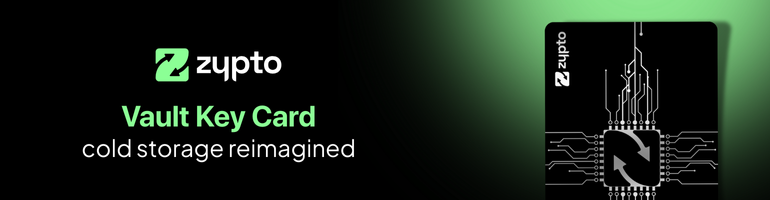
If you want to protect your Shib wallet with cold storage, the Vault Key Card (VKC) is your best option.
The VKC adds real-world 3-factor authentication and true cold storage for your SHIB, BONE, LEASH and TREAT wallets inside Zypto App. No cloud backups, no browser extensions, and no one else with access. Just your phone, your fingerprint, and your physical card.
It’s simple. When you want to approve a transaction, just tap your VKC to your device. That’s it.
With support for up to 3 wallets per card, the VKC is ideal for users who want cold wallet protection without giving up on usability. Whether you’re a long-term holder or an active trader, it gives you serious security for your Shibarium tokens.
SHIB Utility Beyond the Wallet
Zypto doesn’t just let you hold SHIB. You can use it across the entire ecosystem.
- Swap SHIB cross-chain with over 24,000 tokens
- Load SHIB onto your Zypto crypto cards and use anywhere Visa or Mastercard are accepted
- Pay bills with crypto in over 120 countries
- Buy mobile top-ups and data plans with SHIB in 180+ countries
All of this happens inside one Defi crypto app, with full control over your keys and your crypto.
Your Shibarium Wallet Starts Here
The best Shib wallet is the one that gives you security, utility, and full control. With Zypto App, you can store, manage, spend and protect all your Shibarium tokens and over 24,000 more, on multi chains, in one place.
Download the app, set up your wallet, and unlock everything Shibarium has to offer.
FAQs
What is the best wallet for Shibarium tokens?
The best wallet for Shibarium tokens is one that supports SHIB, BONE, LEASH, and TREAT, while offering full control over your keys. Zypto App supports all major Shibarium tokens and includes advanced features like cold wallet protection via the Vault Key Card.
Does Zypto App support cold wallets for SHIB?
Yes. Zypto App supports cold wallet protection for SHIB and other Shibarium tokens through the Vault Key Card (VKC), which enables 3-factor authentication and tap-to-sign security.
Can I use SHIB with a crypto card in Zypto?
Yes. You can load SHIB onto your Zypto crypto card and use it anywhere Visa or Mastercard are accepted. SHIB is converted at the time of load, giving you control over the exchange rate.
How do I receive SHIB or BONE into my wallet?
Inside Zypto App, tap ‘Receive’, search for SHIB or BONE, and generate your unique Shibarium wallet address. You can use this address to receive tokens from another wallet or exchange.
Does Zypto App support ShibaSwap and Shibarium?
Yes. Zypto was the first DeFi wallet to natively integrate both ShibaSwap and Shibarium. You can manage your tokens, connect to dApps, and explore the ecosystem directly from the app.